
Deal Detail
Clicking on any deal card opens the Deal Detail modal — a tabbed panel that centralises every piece of information and communication related to a single deal.
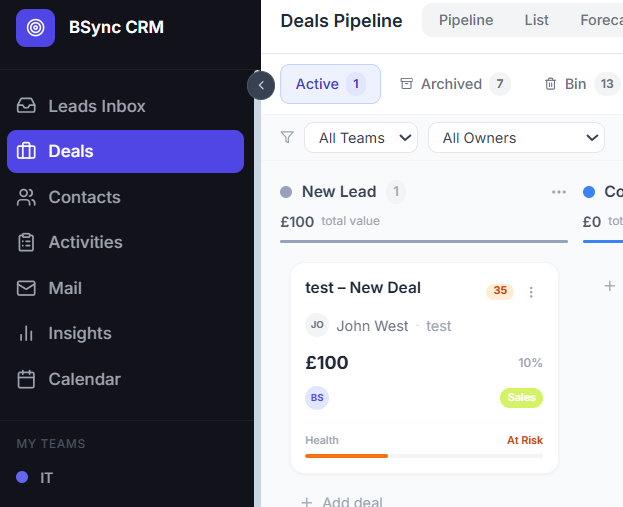
Overview Panel
The left side of the modal shows the deal's core fields:
- Title — editable inline
- Stage — dropdown to change stage without closing the modal
- Value — deal amount
- Close date — expected close date
- Assignee — the responsible team member
- Contact — linked contact with click-through to the contact panel
- Health score — automatically calculated from activity recency, close date proximity, and deal value; displayed as a colour-coded badge
- Tags — add or remove tags to categorise the deal
- Custom fields — any additional fields configured for your workspace
Tabs
Notes
Write and save free-text notes. Notes are timestamped and attributed to the author. Use notes to capture call summaries, client preferences, or internal discussion.
Emails
View all emails sent to or received from the deal's linked contact — directly inside the deal. Compose new emails without switching to the Mail module. Full reply and forward functionality is available here.
AI email writing
Click the AI Write button in the compose toolbar to generate a first draft based on your prompt. The AI uses deal context (name, stage, value) to personalise the message automatically.
Activities
Create and manage tasks, calls, and meetings linked to this deal. Each activity has:
- Type (call, email, meeting, task)
- Due date and time
- Assignee
- Notes
- Completion status
Overdue activities are highlighted in red.
Documents
Upload files directly to the deal — contracts, briefs, reference documents, or any supporting material. Files are stored per-deal and accessible to all team members with deal access.
Proposals
Create and manage proposals from within the deal. Each proposal is built from your product catalogue and can be sent for e-signature. Track status (Draft → Sent → Viewed → Accepted / Declined) without leaving the deal.
WhatsApp
If WhatsApp is enabled, view and send WhatsApp messages to the deal's linked contact from within the deal panel. All messages appear in the WhatsApp module inbox as well.
Contacts
Manage which contacts are associated with this deal. A deal can have multiple linked contacts (e.g. a primary buyer and a decision-maker). Add or remove contacts from this tab.
Timeline
A chronological feed of every event on this deal: stage changes, notes added, emails sent, activities completed, files uploaded. The timeline is read-only and cannot be edited.
Maximise View
Click the maximise icon (top-right corner of the modal) to expand the deal into a full-screen view. This is ideal when you need more space to work through emails, documents, or proposals without visual cramping.
Unsaved changes
If you have unsaved edits in the Notes or custom fields and try to close the modal, a warning prompt will appear asking you to confirm. Always save before navigating away.