
Email Tracking Insights
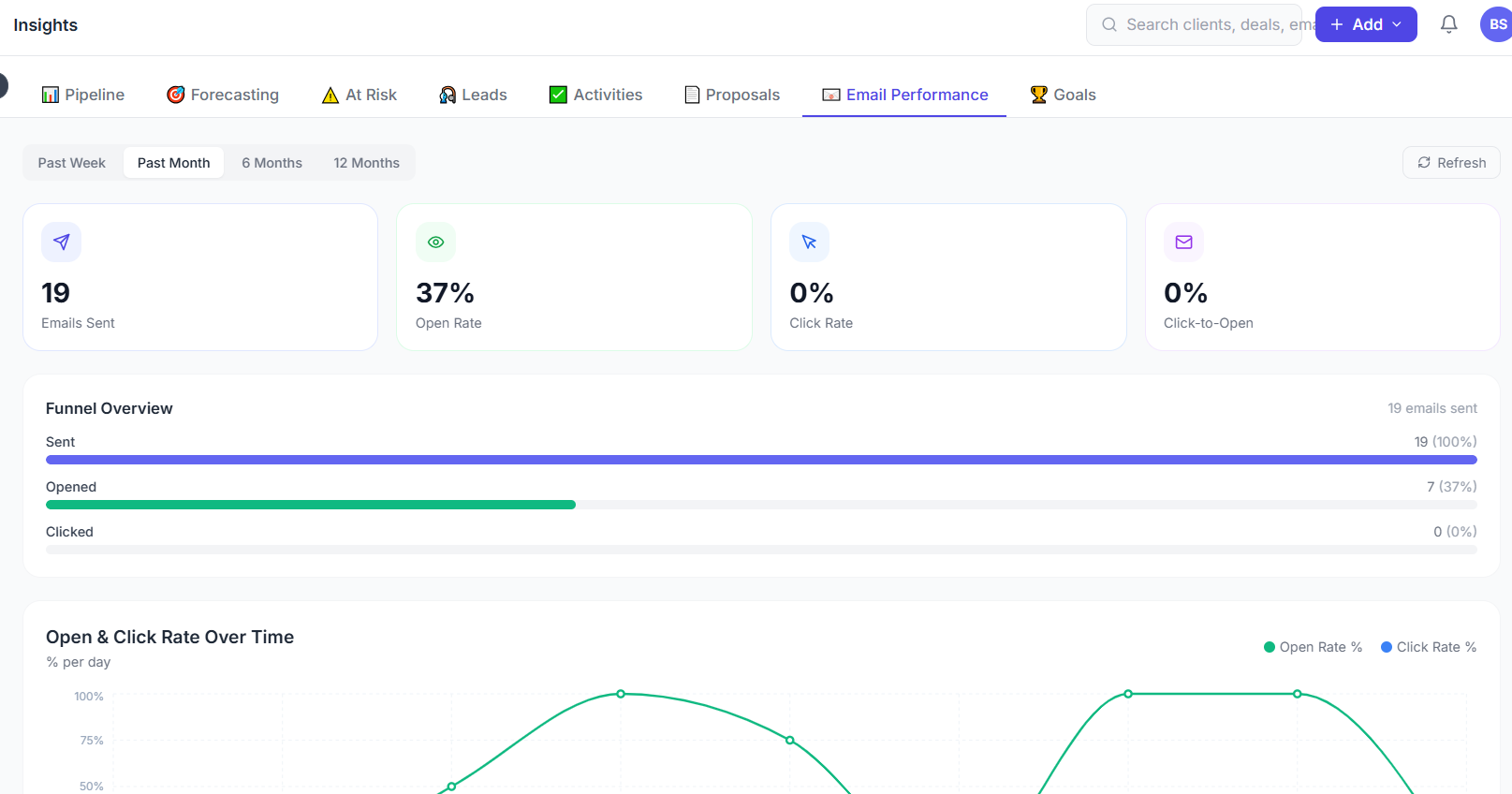
Bsynced CRM tracks every email you send and surfaces open rates, click rates, and engagement data in the Insights → Email Tracking report.
What Is Tracked
When you send an email from within Bsynced CRM (via Mail, a deal's email tab, or a contact's email action), the system automatically embeds:
- A tracking pixel — a 1×1 transparent image that fires a tracking event when the email is opened
- Tracked links — any URLs in the email are wrapped in a tracking redirect so clicks are recorded
Plain-text emails
Tracking pixels only work in HTML emails. If you send a plain-text email (or the recipient's client is set to block images), opens will not be tracked. Click tracking works independently of the image block.
Email Tracking Dashboard
Summary Cards
At the top of the Email Tracking page:
| Card | Description |
|---|---|
| Emails sent | Total emails sent in the selected period |
| Open rate | % of sent emails that were opened at least once |
| Click rate | % of sent emails with at least one link click |
| Reply rate | % of sent emails that received a reply |
Sent Email List
Below the summary, a table lists every tracked email sent in the period:
| Column | Description |
|---|---|
| Subject | Email subject line |
| Recipient | Contact name and email address |
| Sent at | Date and time sent |
| Opens | Number of times the email was opened |
| First opened | Timestamp of the first open |
| Clicks | Number of link clicks |
| Replied | Whether the recipient replied |
Click any row to see the full tracking timeline for that email.
Per-Email Tracking Timeline
For each sent email you can see a detailed event log:
09:00  Email sent to sarah@clientco.com
11:32  Opened (London, UK — Chrome on macOS)
11:33  Clicked link: https://yoursite.com/proposal
11:45  Opened again (same location)
Next day 08:30  Replied
Location data is derived from IP geolocation and shown at city/country level only.
Filtering and Sorting
Filter the email tracking report by:
- Date range — view tracking for a specific period
- Sender — filter by team member who sent the email
- Status — Opened, Unopened, Clicked, Replied
- Contact — search for a specific recipient
Sort by open count, first open date, or sent date.
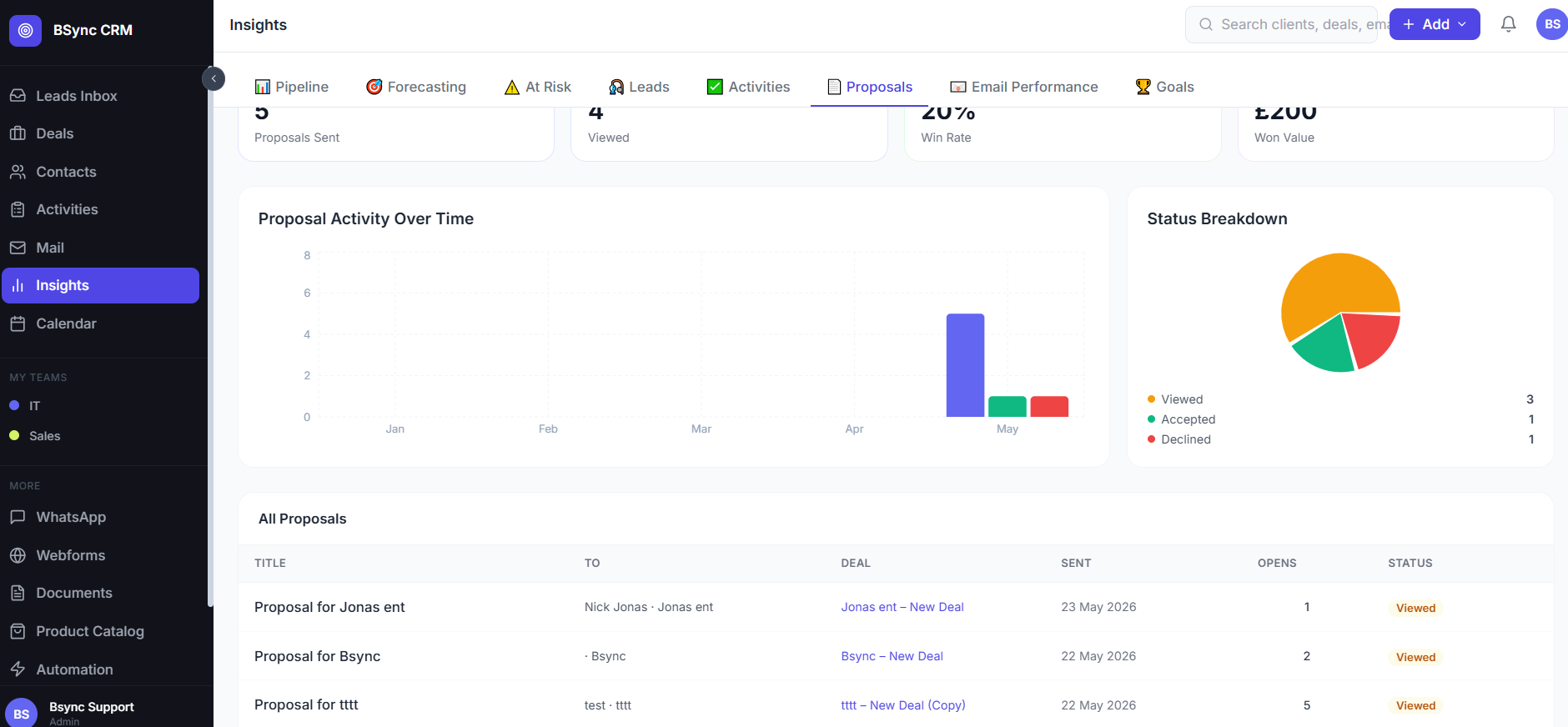
Proposals Insights
The Proposals Insights section gives similar tracking for sent proposals:
| Metric | Description |
|---|---|
| Proposals sent | Total proposals sent in the period |
| View rate | % of sent proposals that were opened |
| Acceptance rate | % of sent proposals that were accepted |
| Decline rate | % of sent proposals that were declined |
| Average time to sign | Median days between sent and accepted |
Use this data to identify where in the proposal process deals stall and improve your follow-up timing.
Combine with lead scoring
When a contact opens your email (tracked), this event automatically adds to their lead score in the Leads module. High email engagement increases the score and surfaces the contact as a hot lead.
Privacy and Compliance
Email tracking uses industry-standard techniques used by major email platforms. To comply with privacy regulations:
- Include a clear statement in your email footer that emails may be tracked.
- Honour any requests to remove tracking (reply preferences).
- Do not use tracking data to infer sensitive personal information.