
Introduction to Bsynced CRM
Bsynced CRM is an all-in-one sales and relationship management platform designed for modern sales teams. It combines a visual deal pipeline, integrated email and WhatsApp messaging, proposal management, lead capture, automation, and in-depth reporting — all inside a single, fast interface.
What You Can Do
Bsynced CRM is built around the full sales lifecycle:
- Capture leads via web forms, manual entry, or imports.
- Qualify and score leads in the Leads Inbox with built-in scoring signals.
- Convert to deals and track progress on a visual Kanban pipeline.
- Communicate via email (Gmail or IMAP), WhatsApp, or phone calls — without leaving the CRM.
- Send proposals with e-signature support and real-time open tracking.
- Automate follow-ups with multi-step sequences triggered by deal or lead events.
- Report and forecast with pipeline metrics, revenue forecasts, goal tracking, and AI-powered analysis.
Multi-Tenant Architecture
Bsynced CRM supports multiple workspaces under a single platform. Each workspace has its own:
- Contacts, deals, and leads
- Email and WhatsApp credentials (SMTP / IMAP / Gmail OAuth / WhatsApp Business API)
- Twilio calling configuration
- Custom fields, pipeline stages, and terminology
- Enabled add-ons from the Marketplace
This makes Bsynced CRM ideal for agencies managing multiple clients or companies with independent business units.
Key Concepts
| Concept | Description |
|---|---|
| Workspace | An isolated environment for one company or team |
| Pipeline | A set of stages a deal moves through towards closure |
| Deal | An active sales opportunity linked to a contact |
| Lead | A prospect that has not yet been converted to a deal |
| Sequence | An automated series of actions triggered by an event |
| Add-on | An optional feature enabled per workspace from the Marketplace |
Navigation Overview
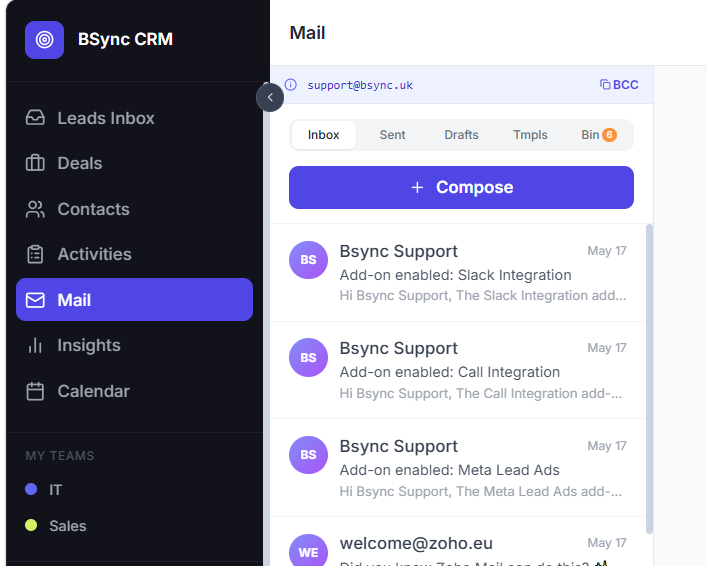
The main sidebar gives you instant access to every module:
- Pipeline — your deal board
- Leads — incoming prospect inbox
- Contacts — your contact database
- Mail — integrated email inbox
- WhatsApp — messaging conversations
- Activities — tasks, calls, and meetings
- Insights — reports and analytics
- Web Forms — lead capture forms
- Documents — proposals and e-signatures
- Automation — sequences and triggers
- Booking — meeting scheduler
- Marketplace — add-on management
- Settings — workspace configuration
Next step
Follow the Quick Setup Checklist to connect your email, invite your team, and create your first pipeline stage in under 15 minutes.